The app in pictures
Built for phones and barcode scanners: big buttons, only what matters on screen, and everything goes straight to Odoo.
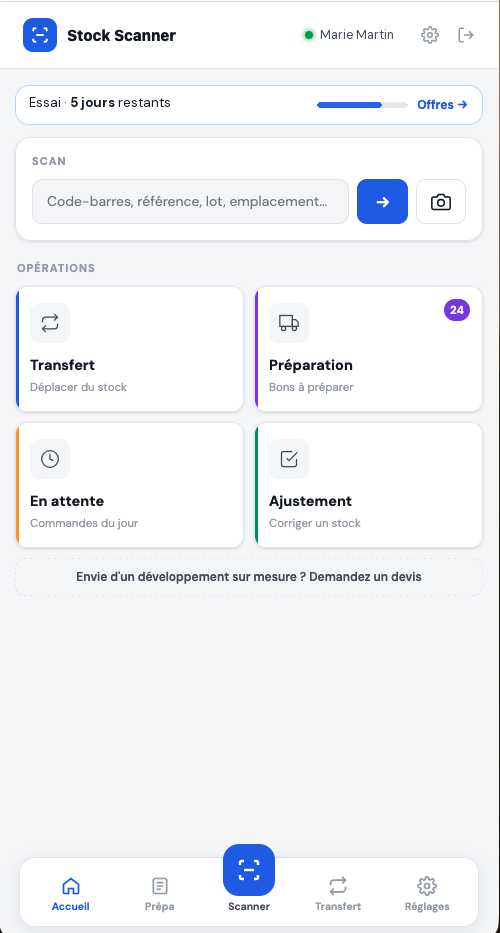
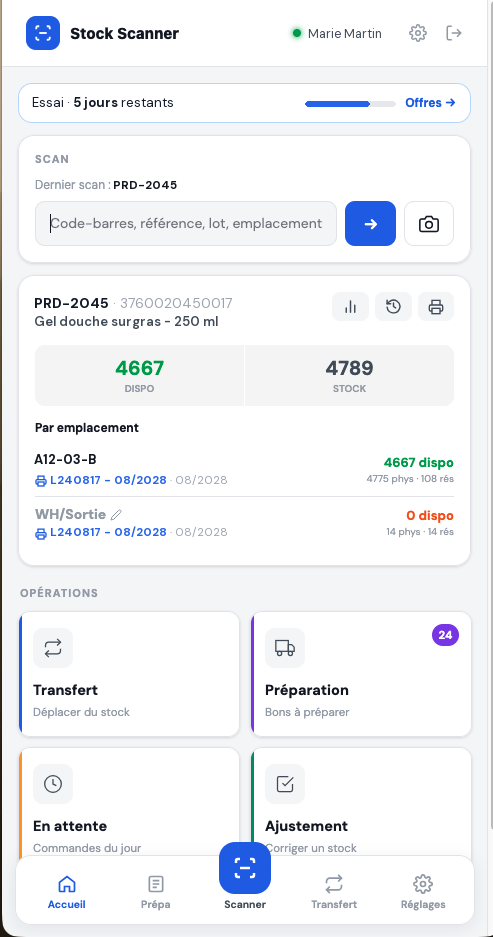
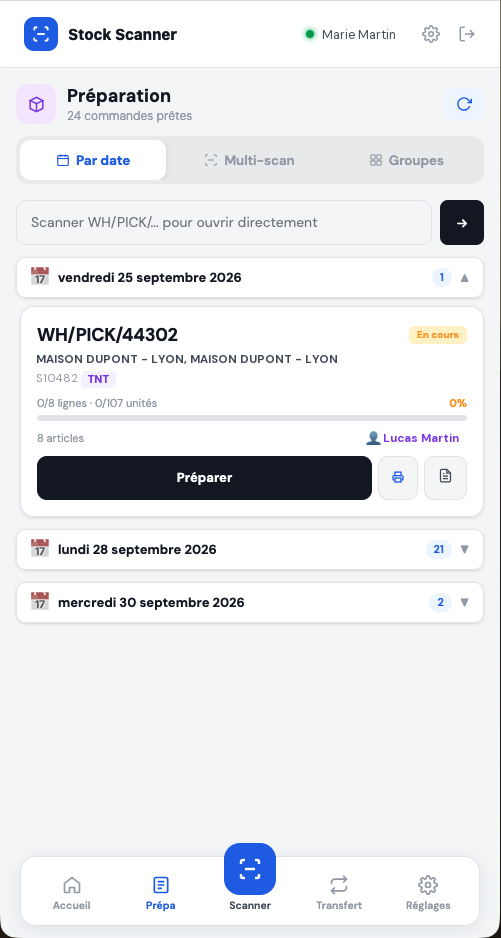
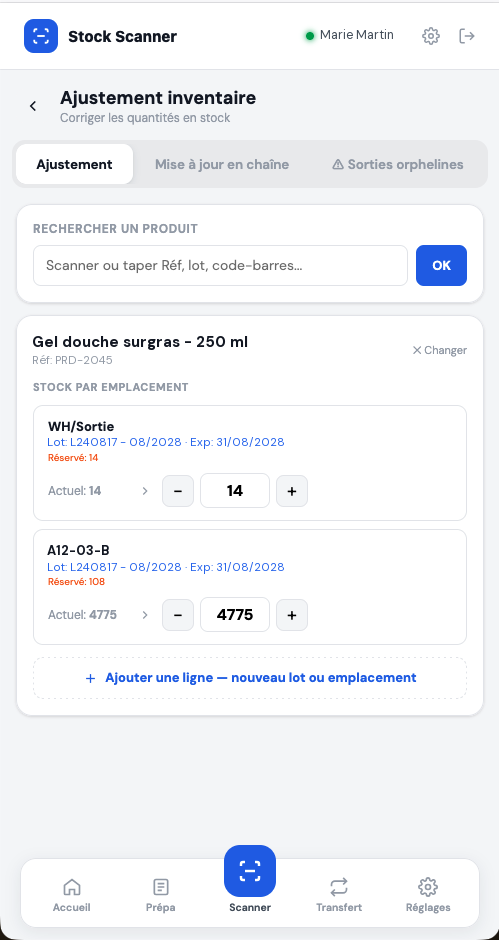
Scan a product, move stock, pick orders and fix quantities — from a phone, a tablet or a handheld PDA. Everything is written straight into your Odoo.
No credit card · Nothing to install · Your Odoo login is all you need
Five tools built for pickers and warehouse staff, following your Odoo logic: locations, lots, dates, reservations.
A product, a lot or a location: stock per location and per lot, latest moves, consumption, label printing.
Source, products, destination: three scans and the internal transfer is validated in Odoo. Recent moves kept on the device.
Pickers are guided location by location. Wrong product, wrong lot: they know instantly. A backorder is offered when a line is short.
Availability check, numbered picking slips, one-tap start — and orders from the same customer grouped together.
Wrong quantity on a location? Count, enter, it's fixed in Odoo. Per product or per lot.
Bluetooth scanner or PDA, phone camera, desktop: one app, nothing to install, nothing to configure.
Built for phones and barcode scanners: big buttons, only what matters on screen, and everything goes straight to Odoo.
No server setup. Your Odoo stays exactly as it is.
On the warehouse phone, tablet or PDA. Add it to the home screen like an app.
Your Odoo address, username and password. The database is detected automatically.
Every user keeps their Odoo access rights. Everything done shows up in Odoo instantly.
Stock Scanner installs on your phones' and PDAs' home screen in ten seconds: icon, full screen, instant launch. Nothing to download, updates are automatic.
Open www.stock-scanner.app/app in Safari, tap Share, then “Add to Home Screen”.
Open the app in Chrome: tap “Install” on the banner, or menu ⋮ → “Install app”.
In Chrome or Edge, click the install icon in the address bar: Stock Scanner opens in its own window.
A fixed monthly price that includes your team. Need more users? Your administrator approves them in one click. 7-day trial with every feature.
No commitment · Cancel anytime · Secure payment by Stripe
No. Stock Scanner connects to your Odoo with your usual login, just like a browser. No module, no change to your database.
Odoo 16, 17, 18 and 19, online (odoo.com, Odoo.sh) or self-hosted, Community or Enterprise, as long as your Odoo is reachable over https.
No. The password is only used to open the Odoo session and is never saved. Your stock data stays in your Odoo.
Without a subscription, stock lookup stays available but no changes can be made. If you subscribe during the trial, the first charge happens when it ends.
Any scanner that works as a keyboard (USB or Bluetooth), an Android PDA such as Zebra or Honeywell, or simply a phone camera.
An administrator of your Odoo, from the app. Beyond the users included in the plan, each new user is approved by the administrator.
A specific screen, a receiving flow, a carrier integration, a report… Describe your need: our team replies with a quote.
Or email us: contact@stock-scanner.app
A question about Stock Scanner, a demo, a quote? Email us, we reply quickly.
contact@stock-scanner.app